
Where to Find Signed Scopes of Appointment (SOAs)
Signed Scopes of Appointment (SOAs) are stored automatically with each appointment in the Great AEP Scheduler, so you never have to hunt for them separately. This article walks you through how to access the scheduler and where to find or download your signed SOAs.
IN THIS ARTICLE
Accessing Great AEP Scheduler
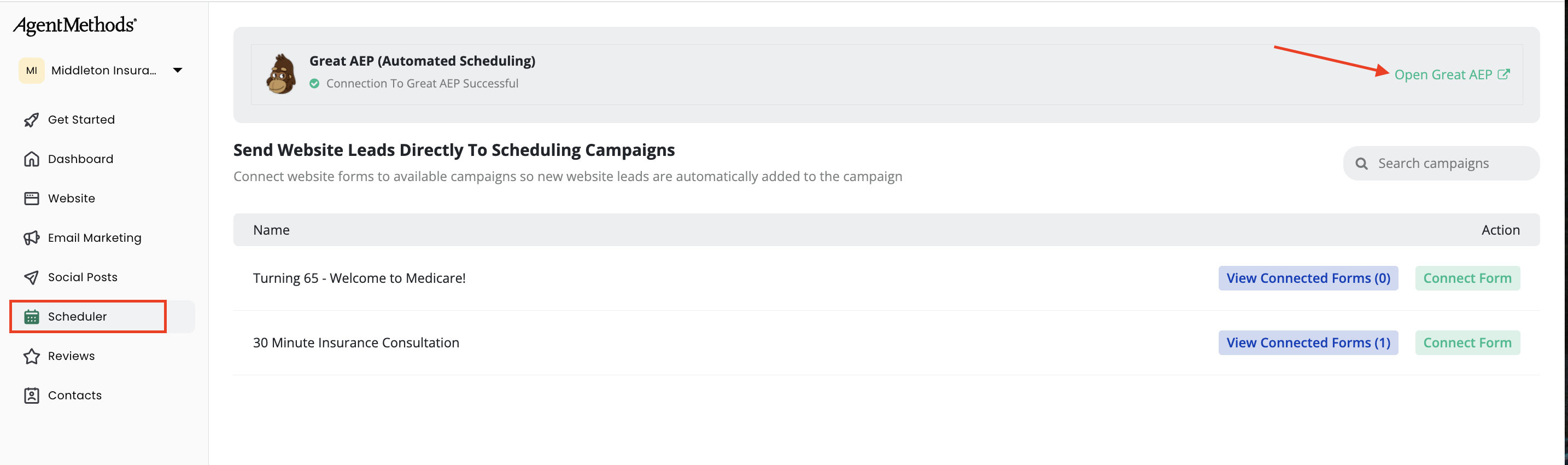
Log into your AgentMethods dashboard. In the left-hand menu, click Scheduler.
On the right side of the page, click Open Great AEP. This will take you into the Great AEP Scheduler.
Finding Your Signed SOAs
Signed scopes of appointments are kept with the actual appointment they belong to. Here's how to access them.
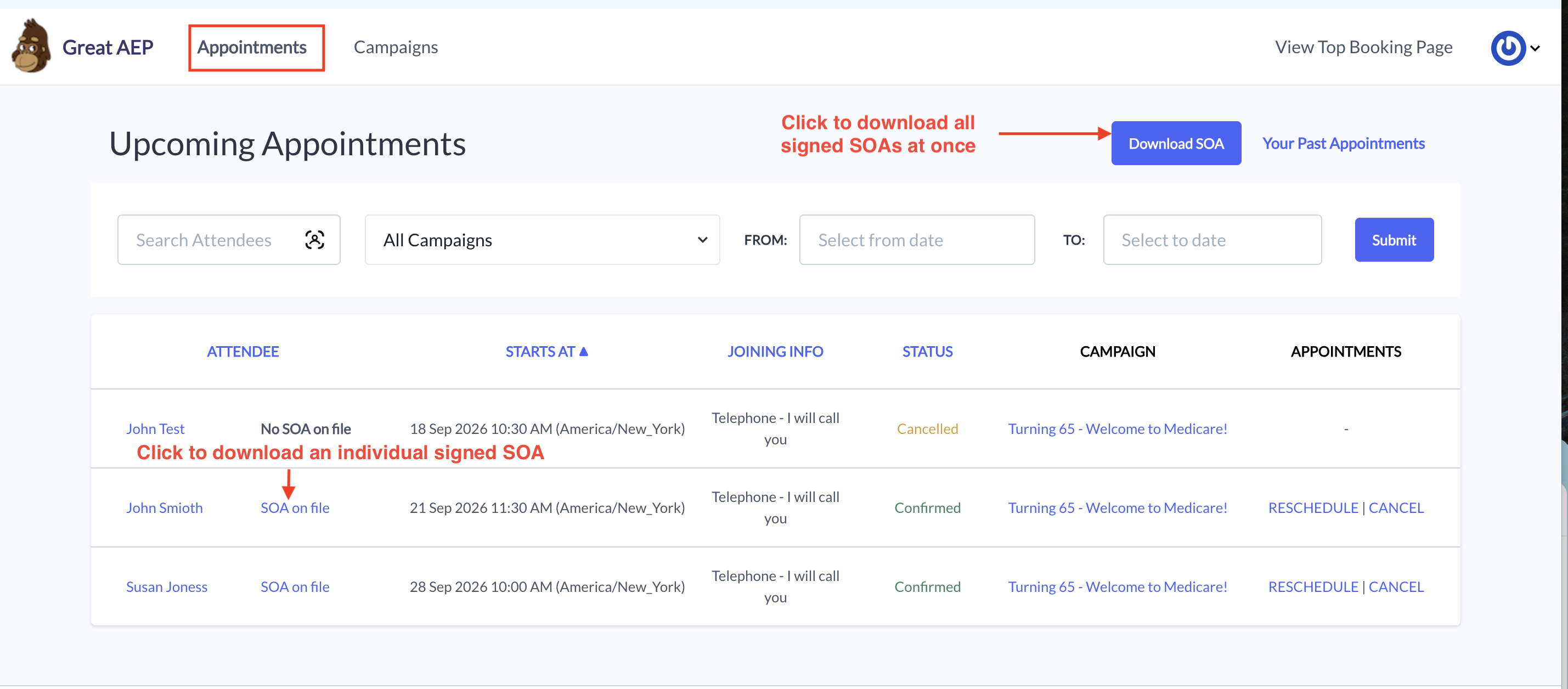
Go to the Appointments section. Each appointment that has a signed scope on file will show an SOA on File link. Click it to download that individual scope.
If you need to download every signed scope at once, click the Download SOA button at the top of the Appointments page. This will download all scopes in a single batch.
Still have questions? Contact our support team here. 🙂