
Manage and Showcase Reviews
Once reviews start coming in, AgentMethods makes it easy to track your feedback and highlight the best testimonials on your website. From monitoring review trends to showcasing your top client experiences, the Reviews page helps you manage your online reputation in one place.
IN THIS ARTICLE
View Review Analytics
Once reviews begin coming in, you can view them from the Overview tab on the Reviews page.
This dashboard gives you a snapshot of your overall review activity and customer feedback.
From this page you can:
- Track how many reviews your business receives over time
- See reviews grouped by platform
- Filter by time range
- Filter by positive or negative feedback
You can also scroll down to view the most recent reviews that have been left for your business.
Monitoring your reviews regularly helps you stay aware of customer feedback and quickly follow up with anyone who may have had a less-than-great experience.

Choose Which Reviews to Showcase
AgentMethods allows you to choose which reviews appear publicly on your website.
Reviews are not displayed automatically. Instead, you control which ones are showcased.
To display a review on your website:
- Go to the Reviews page in your dashboard
- Locate the review you want to display
- Click the green Showcase button next to the review
Only reviews marked as Showcase will appear on your website.
Once selected, that review will be added to the list of reviews displayed on your website.
You can remove a review at any time by clicking the Showcase button again.
To view all reviews currently selected for display, click the Showcase tab at the top of the page.

Display Reviews on Your Website
After selecting reviews to showcase, you can display them on your website using the Reviews component.
To add reviews to your website:
- Log into your dashboard
- Click Website in the left-hand menu
- Select Manage Pages
- Open the page where you want the reviews to appear
- Click Edit
- Click on the component above or below where you want the Reviews component to appear and click + New Component
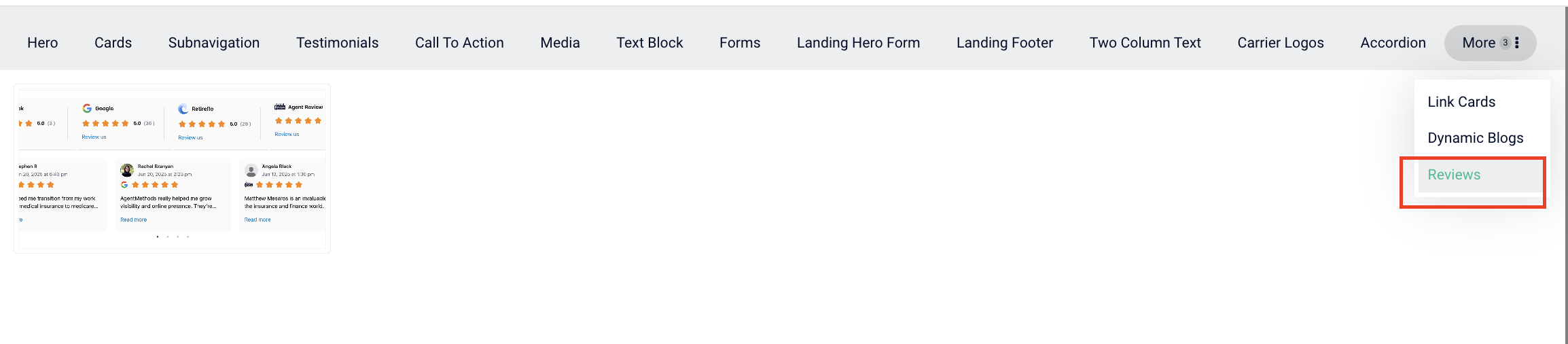
- Select Reviews from the component library
- Click Publish to save your changes
Once added, the Reviews component will automatically display any reviews you have selected to showcase.
You only need to add the Reviews component once. After it is on your page, any reviews you choose to showcase will automatically appear in that section of your website.
We recommend waiting until you have at least a few reviews before displaying them on your website so visitors see meaningful feedback.
Collecting and displaying reviews is one of the most effective ways to build trust with new visitors. As you gather more feedback from clients, your website will automatically stay updated with the reviews you've chosen to showcase.
Still have questions? Our support team is always happy to help 🙂